We have problems with spammer, attacker from these IPs. And there is no contact, no abuse-email etc.
Problem:
We have problems with spammer, attacker from these IPs. And there is no contact, no abuse-email etc.
Problem:
Renew SSL Cert via Plesk / Shell:
Composer is upgrading "doctrine/annotations" to the same version? : (1.14.4 => 1.14.4)
Upgrading doctrine/annotations (1.14.4 => 1.14.4):
Solution?
After "#composer update" (Drupal 10.5) there is a problem:
CMD:
for ($i = 0; $i -lt 100; $i++) { "#$i"; date; $HTTP_Request = [System.Net.WebRequest]::Create('https://www.itlantik.de/'); echo $HTTP_Request.GetResponse().StatusCode; Start-Sleep -Seconds 10; }
Description_of_the_Problem:
apt-get update && apt-get upgrade -y
apt-get install fail2ban
OR via Plesk
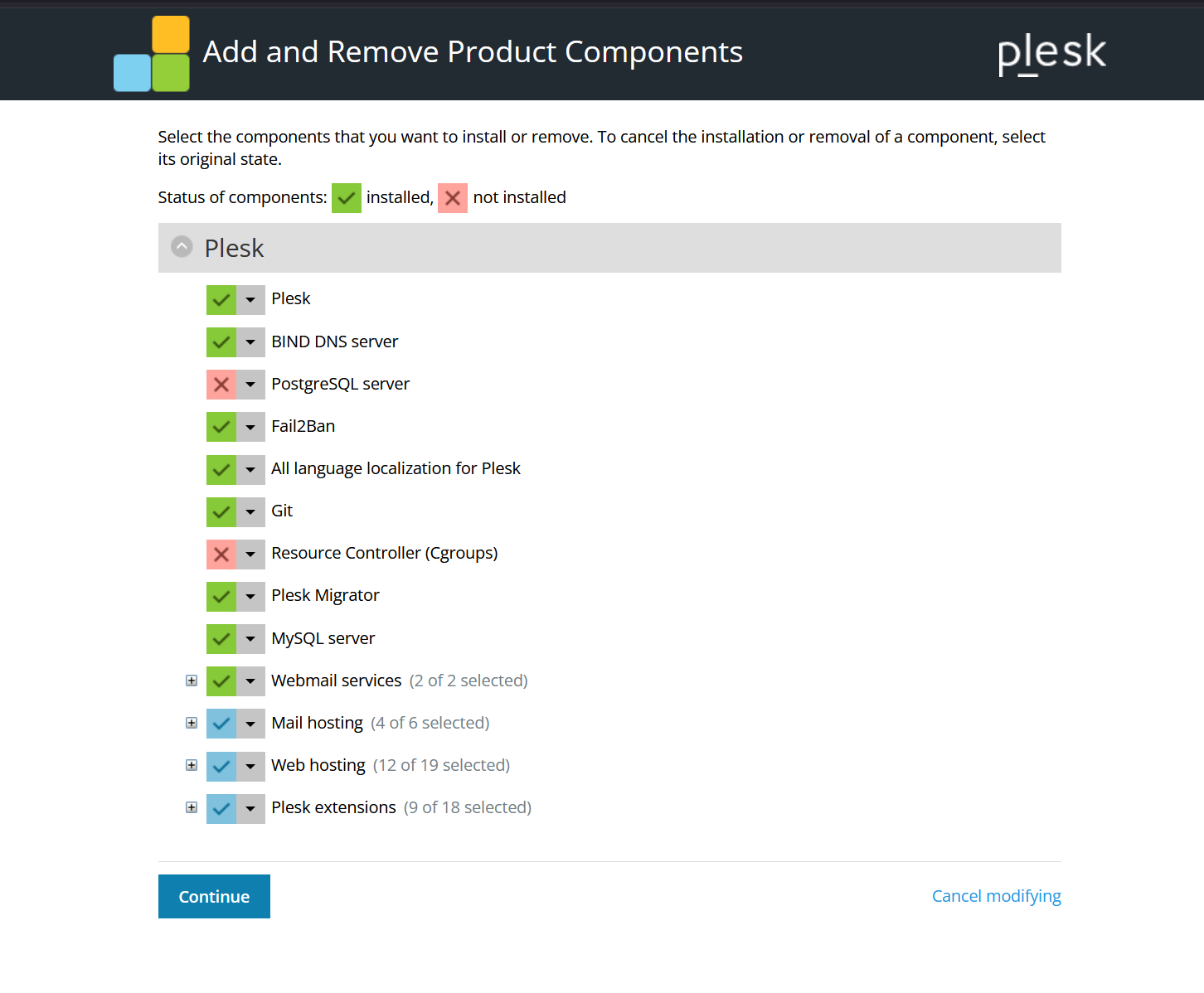
Solution?
Meldung:
Bei .com/.net-Domains ist es nicht länger möglich, für den Inhaber
oder jeglichen anderen Domainkontakt einen Handle zu verwenden,
welcher in einem von dem Office of Foreign Assets Control (OFAC)
sanktionierten Land registriert ist.

Die betroffenen Länder sind:

    KUBA
    IRAN
    NORDKOREA
    SUDAN
    ARABISCHE REPUBLIK SYRIEN
Solution?

Problem:
    Die Aktion konnte auf Grund eines internen Fehlers nicht durchgeführt werden.

    Bitte verwenden Sie das Kontaktformular auf der Support-Seite um unser Support-Team zu benachrichtigen.
Solution?
Install pcregrep:
apt install pcregrep
Find all ASCII Files and show output (incl. 100 chars before/after):
pcregrep -rMoI '(.|\n){0,100}MyCustomString:(.|\n){0,100}' web/
Neueste Kommentare
Für Apache 2.4 + Plesk
Für Apache 2.4 + Plesk 18:
Config File: var/www/vhosts/system/test.example.com/conf/httpd.conf
RAM ist 32 MB. Wie kann ich…
RAM ist 32 MB. Wie kann ich es erhöhen?
Short Code w. Radio Buttons, Checkbox, Textarea, Email, Phone
$("input[type='radio']").each(function () {Wildcard
Let’s Encrypt will only accept a wildcard via DNS challenge.
If your Plesk instance can’t create the _acme-challenge.example.com TXT (external DNS), the extension can’t complete validation and will show no success.
Same problem
Warning: Undefined array key "url" in Drupal\Core\Asset\JsCollectionOptimizerLazy->optimizeGroup()set-timezone Europe/Berlin
sudo timedatectl set-timezone Europe/BerlinTry this:1. Go to Tools &…
Try this:
Alternative (without warnings like "no crontab for user")
Alternative (without warnings like "no crontab for dovecot") to see all tasks:
php 8.3 apcu
php 8.3 apcu failed
über Plesk hat es geklappt.
phpize failed error?
install:
# sudo apt install php-dev